The Best Microphones for iPhone Users: Enhance Your Audio Experience
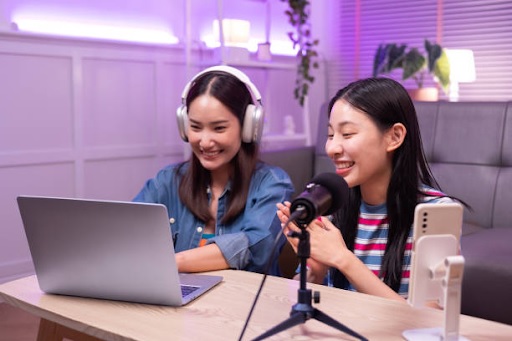
As smartphone technology advances, iPhones have become powerful tools for content creation, podcasting, vlogging, and virtual meetings. However, while iPhone cameras are top-notch, their built-in microphones may not always capture professional-quality audio. To elevate your audio experience, investing in an external microphone can make a significant difference.
This article explores the best microphones for iPhone users, highlighting their features, advantages and how to choose the right one for your needs. Click the link for more information: https://shop.shure.com.sg/collections/mobile-recording
Why Use an External Microphone for iPhone?
The built-in microphone on an iPhone is designed for everyday use, such as making calls and recording voice memos. However, for high-quality audio, especially in noisy environments or professional settings, an external microphone offers numerous benefits:
- Improved Audio Quality: External microphones capture clearer, richer and more detailed sound.
- Noise Reduction: Many models come with features that minimise background noise.
- Directional Sound Capture: External microphones can focus on sound coming from a specific direction, reducing unwanted ambient noise.
- Versatility: Depending on the type of microphone, you can use it for various applications such as interviews, music recording and video production.
Top Microphones for iPhone Users
1. Shure MV88: The Shure MV88 is a compact and versatile microphone that connects directly to your iPhone via the Lightning port. It delivers studio-quality audio and comes with the ShurePlus MOTIV app for advanced audio customisation.
- High-fidelity audio recording
- Adjustable stereo width and five DSP presets
- Portable and durable design
2. Rode VideoMic Me-L: The Rode VideoMic Me-L is a directional microphone designed for iPhone users. Its compact size and high-quality sound make it a favourite among vloggers and content creators.
- Excellent noise reduction
- 3.5mm headphone jack for real-time monitoring
- Lightweight and easy to mount
3. Zoom iQ7: The Zoom iQ7 is a mid-side stereo microphone that provides exceptional sound capture for music recordings, interviews and live performances.
- Adjustable stereo width
- Ideal for high-quality audio recording
- Compatible with the Zoom Handy Recorder app
4. Sennheiser MKE 200 Mobile Kit: The Sennheiser MKE 200 Mobile Kit is a versatile microphone package that includes a directional mic, smartphone clamp and tripod. It’s perfect for mobile journalists and content creators on the go.
- Crisp and clear audio capture
- Effective wind protection
- Comprehensive kit for stable recording
5. Apogee MiC Plus: The Apogee MiC Plus is a premium studio-quality microphone compatible with iPhones. It’s ideal for professional podcasting, voiceovers and music recording.
- 24-bit/96kHz high-definition audio recording
- Plug-and-play functionality
- Compact and travel-friendly design

Factors to Consider When Choosing a Microphone
Compatibility: Ensure that the microphone is compatible with your iPhone model and has the appropriate connector, such as a Lightning port or USB-C adapter.
Audio Quality: Consider the microphone’s frequency response, sensitivity and ability to capture clear audio in various environments.
Type of Microphone: Different types of microphones serve different purposes:
- Lavalier Microphones: Ideal for interviews and presentations.
- Shotgun Microphones: Best for directional sound capture.
- Stereo Microphones: Perfect for music recordings and capturing ambient sound.
- USB Microphones: Suitable for podcasting and voiceovers.
Portability: Look for a lightweight and compact microphone if you plan to record on the go.
Additional Features: Some microphones come with accessories such as windshields, mounts and apps for audio customisation.
Tips for Using External Microphones with iPhones
- Check App Compatibility: Some microphones work best with specific recording apps that allow you to fine-tune audio settings.
- Secure the Microphone: Use clamps or mounts to ensure stability during recording.
- Monitor Audio: If your microphone has a headphone jack, monitor your audio in real time to catch any issues.
- Adjust Settings: Experiment with microphone placement and settings to achieve the best sound quality.
- Use Noise Reduction Accessories: Windshields and foam covers can help reduce background noise in outdoor settings.
Conclusion
Investing in the right external microphone can dramatically enhance your audio experience on an iPhone. Whether you’re a content creator, musician or professional who values clear communication, the options discussed here provide a range of solutions to meet your needs. By understanding your requirements and considering factors like compatibility, audio quality and portability, you can select the perfect microphone to elevate your recordings.