How To See Reel Views on Instagram: Easy Method Explained
You’re probably here because you posted a Reel on Instagram and you’re wondering who’s actually watching it. That curiosity makes total sense. Instagram gives you numbers, but it doesn’t always show the people behind those views. Let’s clear that up today.
This guide will walk you through everything about Reel views, where to find them, what the numbers mean and what you can or can’t see. I’ll keep it simple, direct and human because I’m talking to you not writing a manual.
What Reel Views Actually Mean on Instagram
When someone plays your Reel for more than a couple of seconds, Instagram counts that as a view. It doesn’t matter if they liked it, commented or just kept scrolling. If they watch, it gets counted. That’s the first thing you need to know before digging deeper.
Now here’s the thing: Instagram doesn’t show you exactly who watched your Reel. Unlike Stories, which list viewers, Reels only show how many times the video was played. That number keeps rising, but the actual people? Hidden.
Why You Can’t See Who Viewed Your Reels
Instagram made a choice. With Stories, they let you know who watched. With Reels, it’s about reach and performance. They focus on volume not identity. You can see likes, comments, shares and saves, but not the full viewer list.
That might sound disappointing, especially if you’re trying to understand your audience. But Instagram offers other tools to help and we’ll get into that.
Where to Find the View Count
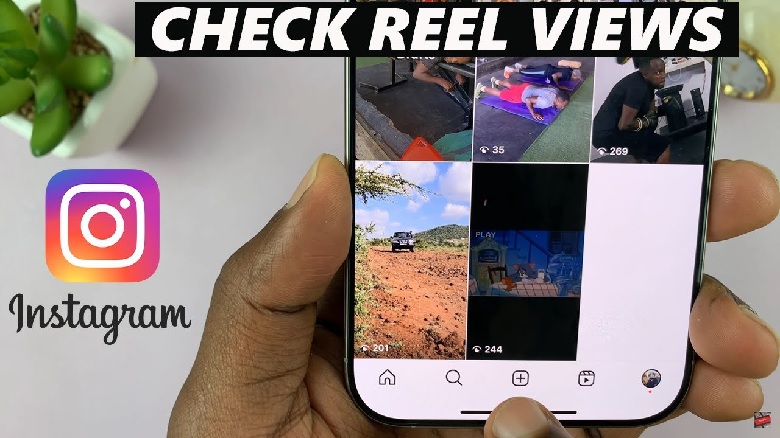
Here’s what you can do: go to your profile, tap the Reels tab and open any Reel. Right below the video, you’ll see the number of views it got. That figure tells you how many plays your content received, not unique people. One person can watch multiple times and each view adds up. Some creators even choose to buy Instagram Reel views to boost those numbers early on, especially when starting out.
If you’re using a business or creator account, tap “View Insights.” That section gives you way more info like reach, profile visits and how many people watched the full thing.
How Instagram Insights Help You Understand Views
If you’re using a personal account, you won’t see detailed stats. But with a professional account, Instagram gives you tools that reveal much more than just a number. You’ll be able to understand how your Reel performed in context.
Switching to a creator or business account is free, and it only takes a minute. Once you do that, open any Reel and hit “Insights.” It’ll show you how many people your Reel reached, how long they watched, and what actions they took after watching.
Engagement vs Views: What’s More Useful?
You might think views are the most important part, but engagement is what tells you if the content actually worked. If someone watched but didn’t like or comment, it still counts as a view. But when they interact, that shows interest.
Look at likes, saves, shares and comments. Those actions help your Reel spread more and reach new people. Instagram’s algorithm pays attention to them.
Unique Views vs Total Views
One common question I see online is about unique views. Right now Instagram doesn’t show that number. The views you see include every time someone watches, even if it’s the same person over and over.
So if someone replays your Reel five times, that’s five views not one. There’s no official way to see how many individual people watched unless you’re comparing reach and views together.
What Reddit Users Are Saying About Reels
Now this is interesting on Reddit, creators often talk about how misleading Reel views can be. Some say a video with 100K views brought them zero followers. Others say a smaller video with 5K views got them tons of DMs and new profile clicks.
What matters more is what viewers do after they watch. Reddit users suggest focusing less on views and more on comments, shares and saves. That’s what drives growth, not just the view count.
Can You Tell If Someone Watched Twice?
Not directly. But if your view count is higher than your reach, that’s a hint. Reach shows how many unique accounts saw the Reel. Views are the total number of plays. So if your views are double your reach, people watched more than once.
This is a rough way to estimate repeat views. But don’t rely on it too much, it’s just a clue, not a detailed report.
Third-Party Apps and Their Claims
You’ll see apps in the app store that claim to show who viewed your Reels. Be careful. These apps often just pull public data or ask for login access, which is risky. Instagram doesn’t share that info with outside apps, so what you’re getting is usually a guess or just made up.
If an app says it can show you your Reel viewers, it’s either misleading or trying to access your account. Stick to Instagram’s built-in tools. They’re safer, and they give you real data.
Tips To Get More Reel Views
Instead of chasing names, work on getting better results. You can’t see who watched, but you can boost how many people do.
Start by grabbing attention in the first two seconds. If your Reel doesn’t hook viewers early, they’ll scroll past. Then use captions or on-screen text to hold attention longer. That helps increase watch time, which helps the algorithm push it further.
Use Trending Audio and Hashtags
One proven way to boost views is using popular music and sounds. Instagram often favors content that uses trending audio. You’ll see this on Reddit too people say Reels with trending songs get more exposure, even with fewer followers.
Hashtags help, but they need to be relevant. Don’t just slap random tags. Use ones related to your content so the right people find it.
Post Time Matters More Than You Think
Timing changes how well your Reel performs. If you post when your followers are active, your content has a better chance of being seen and shared right away. That helps boost early engagement, which affects the final view count.
Try testing at different times. Maybe mornings work better for you than evenings. Check your Insights to find out when your audience is most active.
What You Can Actually Track on Reels
Let’s get clear on what’s possible. Here’s what you’ll find inside Instagram Insights for Reels, assuming you have a creator or business account:
You’ll see total views, reach, profile activity, saves, shares, and comments. You won’t see viewer names or exact replay data. And you won’t know how many of those viewers followed you afterward unless you track that separately.
Watch Time Isn’t Shown But It Matters
Instagram doesn’t currently show how long people watched your Reel. But longer views help your video perform better. If people swipe away quickly, that sends a weak signal. If they watch all the way through, Instagram takes that as a good sign.
That’s why editing matters. Keep your videos short but tight. Don’t waste time getting to the point. Start strong and end clean.
Your Follower Count Doesn’t Equal View Count
Don’t assume all your followers see your Reels. The algorithm shows content based on behavior not just who follows you. That’s why sometimes strangers engage more than your actual followers.
To reach more people, focus on making content that gets shared. Comments and shares are like fuel; they push your Reel to new viewers.
FAQ
Can I see who watched my Reels on Instagram?
No, you can only see the total number of views and who interacted, not individual viewers.
Do views include replays?
Yes, each time someone watches your Reel, it adds to the view count, even if it’s the same person.
Are Instagram views and reach the same?
No. Views are total plays. Reach is how many unique accounts saw it.
Does Instagram notify you if someone watches your Reel?
No, Instagram doesn’t send any alerts or notifications for Reel views.
Do private accounts get fewer Reel views?
Yes. If your account is private, only your followers can watch your Reels.
Conclusion
You might not be able to see who watched your Instagram Reels, but you can still get a clear picture of how they’re performing. Use the built-in tools, switch to a professional account if you haven’t and focus on engagement over raw numbers. That’s how you get better reach and real results.
Keep experimenting. Test different types of content, tweak your posting times and pay attention to what actually gets people to stop and watch. That’s how you turn views into something more useful, even if you can’t see the names behind the numbers.